Convert GIF to PNG — sharper, full-colour still images
GIF is an old format limited to a 256-colour palette, which forces dithering and visible banding on photos, gradients and detailed graphics. Converting GIF to PNG re-encodes the image with PNG's full 24-bit colour and lossless compression, so a screenshot, logo or illustration saved as GIF comes back clean, sharp and free of the speckled dither pattern. ImageResizerly does it entirely in your browser — your images are never uploaded.
Drop one image or a whole folder, and download a single PNG or the whole batch as a ZIP.
How to convert GIF to PNG
- Add your GIF files — drag and drop, click to browse, or paste with
Ctrl+V. Single images or a whole folder at once. - PNG is the target format — this tool decodes every GIF and re-encodes it as a lossless PNG.
- Keep transparency or resize — transparent areas carry over automatically; you can also resize or compress in the same pass.
- Convert and download — get one PNG or the whole batch as a ZIP.
No account is needed for up to 5 images at a time; a free account raises the batch to 20 and Premium to 100. See the pricing page.
Animated GIF? The first frame is saved
This is an image converter, not an animation converter. PNG is a still-image format, so when you feed it an animated GIF, ImageResizerly takes the first frame and saves that single frame as a static PNG. The animation itself is not preserved. That is exactly what you want for grabbing a clean still — a thumbnail, a poster frame or a single panel — but if you need to keep motion, a GIF or video format is the right choice instead.
For a static GIF (a screenshot, logo or flat graphic that happens to be saved as GIF), the conversion is a straight, lossless upgrade to a better format. A lot of older clip-art, web buttons and diagram exports were saved as GIF years ago; converting them to PNG modernises them without re-drawing anything.
GIF vs PNG: when to use which
Both support transparency, but they are built very differently:
| GIF | PNG | |
|---|---|---|
| Colours | 256 (palette) | 16.7 million (24-bit) |
| Compression | Lossless, palette-based | Lossless, full-colour |
| Transparency | 1-bit (on/off) | 8-bit (smooth alpha) |
| Animation | Yes | No (still image) |
| Best for | Simple animations | Sharp still graphics, screenshots |
If your GIF is a still image, PNG gives you more colours, smoother transparency edges and no dithering. If it is animated and you need the motion, keep it as GIF. To shrink a converted PNG afterwards, try PNG to JPG for photos or PNG to WebP for smaller files that keep transparency.
Better quality than the original GIF
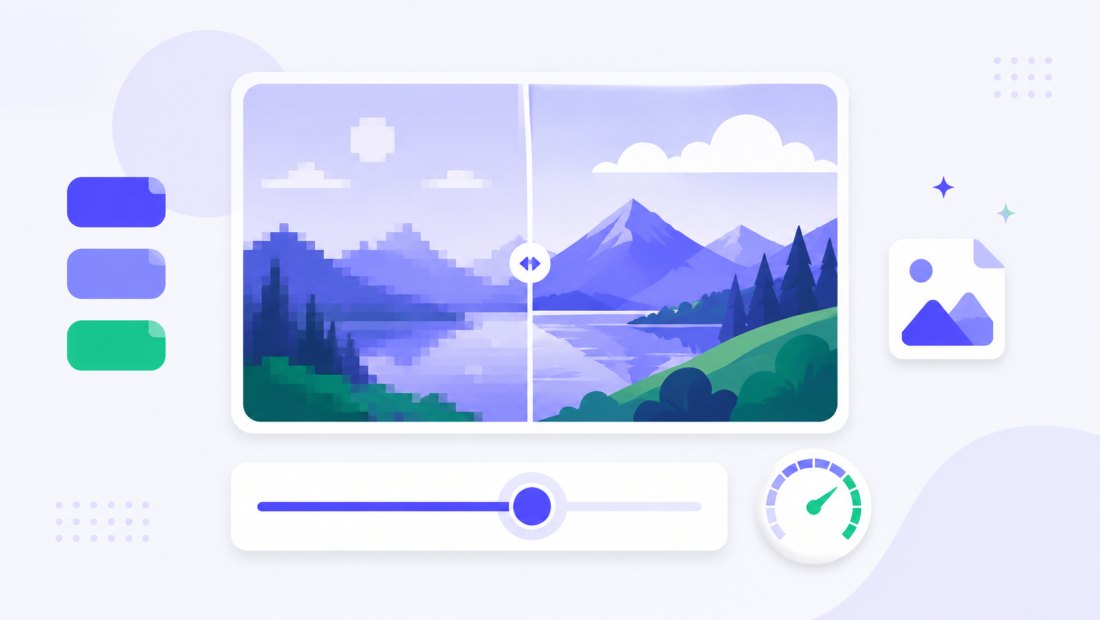
A GIF can only describe 256 colours per frame, so photographic content and gradients are approximated with a scattered dither pattern. Decoding to PNG removes the palette ceiling: every pixel is stored at full colour depth with lossless compression, so nothing is thrown away. The result is the cleanest possible still version of that GIF — no quality is lost in the conversion itself. Because PNG is lossless, you can re-edit or re-export it as many times as you like without the image degrading further, which is not true of lossy formats.
Transparency is kept
GIF supports only on/off transparency, which often leaves jagged edges. PNG stores a smooth 8-bit alpha channel, so when this converter carries your transparent areas across, edges can look cleaner and composite better onto any background. Nothing is flattened to white — transparency is preserved end to end. PNG also opens natively in every modern browser, image editor and operating system.
Convert a whole batch of GIFs at once
Have a folder of GIF screenshots or exports to clean up? Drop them all and each is decoded and re-encoded to PNG independently, then downloaded together as a ZIP. Combine the conversion with resizing (cap everything at 1920 px) in the same pass, or send the results straight to BMP to JPG and other tools afterwards.
Private — nothing is uploaded
Conversion runs entirely in your browser via the Canvas API:
- No upload, no wait — even a large batch starts instantly.
- Private by design — your images never reach a server.
- EXIF removed by default — any metadata is stripped on export.
- Works offline — once the page has loaded you can disconnect.
Related converters
- PNG to JPG — shrink your converted PNG for photos and uploads.
- PNG to WebP — even smaller files that keep transparency.
- BMP to JPG — convert another lossless format to a compact, universal file.
- bulk resizer — resize the whole batch in the same pass.
FAQ
Why convert GIF to PNG?
GIF is capped at 256 colours and adds dithering, which looks rough on photos, gradients and detailed graphics. Converting a still GIF to PNG gives full 24-bit colour, lossless quality and smoother transparency — a clean upgrade with nothing lost in the conversion.
What happens to an animated GIF?
PNG is a still-image format, so only the first frame of an animated GIF is saved as a static PNG. The animation is not preserved. Use this when you want a clean still; keep the GIF if you need the motion.
Will converting GIF to PNG lose quality?
No. PNG is lossless and stores more colours than GIF, so the conversion itself never degrades the image — it can only equal or improve on the original still.
Is transparency kept?
Yes. Transparent areas carry over to the PNG, which stores a smooth 8-bit alpha channel — often cleaner at the edges than the GIF's on/off transparency. Nothing is flattened to white.
Can I convert many GIF files at once?
Yes — 5 at a time for free, 20 with a free account and 100 with Premium. Each GIF is decoded and re-encoded to PNG, and you download them all as one ZIP.
Are my images uploaded to a server?
No. The conversion uses your browser's Canvas API, so files never leave your device — you can even work offline after the page loads.
Is it free?
Yes, converting GIF to PNG is completely free with no watermark. Optional accounts only raise the batch size and unlock AI features.